
Follow practical checklists for website, DNS, mail, SSL, and service outages.
adminhowto.com Docs
Find server guides, admin tools, and hosting answers fast.
Search practical tutorials, diagnostic tools, command references, DNS fixes, email checks, SSL help, Plesk guides, Windows tasks, Linux commands, MySQL fixes, and troubleshooting resources.
DNS & EmailPleskLinux CommandsWindowsSSLMySQLTroubleshooting
Run quick checks for public records, MX routing, SPF, DKIM, and DMARC.
Learn common hosting panel workflows for websites, mail, databases, backups, and SSL.
Harden access, validate certificates, plan backups, and reduce avoidable risk.
Product directory
Browse technical resources
Admin Tools
DNS, email, SSL, network, formatting, and report utilities.
32 guides • 42 tools PleskWebsite, mail, database, backup, and SSL workflows for Plesk.
10 guides • 17 tools Linux CommandsCommand references, SSH, services, permissions, logs, and hardening.
15 guides • 22 tools WindowsRDP, IIS, PowerShell, firewall, events, and Windows hosting tasks.
6 guides • 20 tools InstallsInstall and configure common hosting software and server packages.
10 guides MySQLMySQL configuration, backups, restore workflows, users, and troubleshooting.
4 guides ErrorsTroubleshooting guides for HTTP, server, application, and hosting errors.
4 guides NetworkingPorts, IPs, routing, connectivity, traceroute, and public checks.
8 guides EmailMX, SMTP, SPF, DKIM, DMARC, mail routing, and deliverability.
4 guides • 27 tools SecuritySSL, headers, firewalls, access hardening, backups, and safe admin work.
8 guides • 23 tools Domain/DNSDomains, records, nameservers, propagation, DNSSEC, and redirects.
4 guides • 25 tools BackupsBackup plans, restore checks, retention, migration, and recovery drills.
4 guides CloudCloud hosting, VPS operations, storage, scaling, and cloud backup resources.
10 guides cPanelcPanel domains, email, files, databases, backups, and AutoSSL.
1 guides • 17 tools WordPressWordPress hosting, SSL, performance, plugins, and troubleshooting.
1 guidesGuided learning
Recommended learning paths
Learning path
Get started with DNS and domains
beginner • 35 min • 5 modules
Domain/DNS · Email Learning path Secure your first Linux serverbeginner • 50 min • 6 modules
Linux Commands · Security Learning path Configure email authenticationintermediate • 45 min • 5 modules
Email · Domain/DNS Learning path Manage websites in Pleskbeginner • 40 min • 4 modules
Plesk · Backups Learning path Troubleshoot website downtimeintermediate • 55 min • 6 modules
Errors · Networking Learning path Understand SSL certificatesbeginner • 30 min • 4 modules
Security · Domain/DNSFree Admin Tools
Run quick checks for domains, DNS, email, SSL, ports, headers, and server status.
DNS Lookup
Check dns signals and turn the result into clear next steps.
Open Tool
WHOIS Lookup
Check whois signals and turn the result into clear next steps.
Open Tool
MX Checker
Check mx signals and turn the result into clear next steps.
Open Tool
Email Authentication Checker
Check email authentication signals and turn the result into clear next steps.
Open Tool
SSL Certificate Checker
Check ssl certificate signals and turn the result into clear next steps.
Open Tool
Port Checker
Check port signals and turn the result into clear next steps.
Open Tool
HTTP Headers Checker
Check http headers signals and turn the result into clear next steps.
Open Tool
Password Generator
Create a practical password generator for hosting, support, and infrastructure workflows.
Open Tool
JSON Formatter
Create a practical json formatter for hosting, support, and infrastructure workflows.
Open Tool
URL Encoder / Decoder
Format, convert, or review url / data in a browser-friendly workflow.
Open Tool
Latest Guides
Latest Tutorials
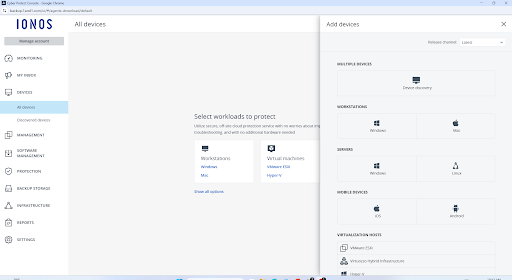
Backups · Mar 14, 2025
How to Install the Acronis Backup Agent on Your IONOS Linux Server
How to Install the Acronis Backup Agent on Your IONOS Linux Server Ensuring that your data is backed up securely is essential for any business or personal server environment. Acronis Backup provides a reliable...

Cloud · Mar 6, 2025
Free up storage space on a Cloud Server (Linux)
How to Free Up Storage Space on a Cloud Server (Linux) When migrating your Cloud Server to a VPS , you need at least 100 MB of free space in both the root (/) and boot (/boot) directories . Without enough free space,...
Plesk · Mar 6, 2025
How to Change the Language of the Plesk Panel in Plesk Obsidian
How to Change the Language of the Plesk Panel in Plesk Obsidian By default, Plesk Obsidian on Cloud Servers is set to English , but did you know you can switch to another language? If you or your users prefer a...
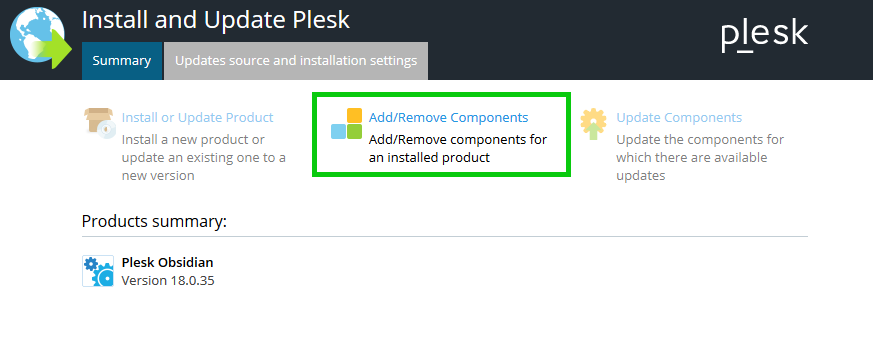
Email · Mar 6, 2025
Enabling a Spam Filter in Plesk
How to Enable and Configure SpamAssassin in Plesk to Stop Spam Emails Spam emails can clutter your inbox, slow down your productivity, and even pose security risks. If you're hosting email accounts on a Plesk server...

Email · Feb 19, 2025
Help! My Server Is Blacklisted By UCEPROTECT
Help! My Server Is Blacklisted By UCEPROTECT Ensuring Proper Server Management and Email Deliverability The Importance of Backups Before Making Changes Before making any modifications to your server, it is mandatory...

DNS · Feb 18, 2025
How to redirect a website or domain
Guide to Redirecting Traffic from One Domain or URL to Another When setting up a redirect, it’s crucial to first determine the purpose and type of redirect you need. Redirects serve different purposes, and selecting...
Problem to Fix
Featured troubleshooting
Fix 500 Internal Server Error
Check logs, PHP errors, permissions, and recent changes.
DNS Not Propagating
Compare authoritative DNS and public resolver answers.
Email Going to Spam
Review SPF, DKIM, DMARC, MX records, and blacklist signals.
SSL Certificate Expired
Inspect issuer, validity dates, SANs, and renewal status.
SSH Login Fails
Check port access, keys, authentication policy, and firewall rules.
Website Down Checklist
Check DNS, ports, redirects, headers, and page response time.
MySQL Connection Refused
Verify service status, bind address, user permissions, and firewall rules.
Plesk Mail Not Working
Check MX, DNS, SPF, mail service state, and mailbox settings.
Knowledge Base
Browse by admin task
Getting Started
Basic hosting, domains, control panels, website setup, and first admin tasks.
4 guidesLinux
Linux commands, distributions, SSH, services, logs, and server operations.
15 guidesWindows
Windows Server, PowerShell, RDP, IIS, event logs, and network fixes.
6 guidesHosting Panels
Plesk, cPanel, hosting account, DNS zone, mail, PHP, and backup workflows.
9 guidesPlesk
Plesk Obsidian, mail, PHP settings, subscriptions, backups, and panel troubleshooting.
10 guidescPanel
cPanel email, addon domains, files, databases, backups, and hosting workflows.
1 guidesMySQL & Databases
MySQL, MariaDB, backups, users, permissions, performance, and connection errors.
4 guidesNetworking
Ports, firewalls, routes, ping, traceroute, DNS, and public connectivity.
8 guidesSMTP, IMAP, POP3, MX, SPF, DKIM, DMARC, delivery, and blacklists.
4 guidesDNS
Domains, DNS records, propagation, nameservers, resolvers, and zone troubleshooting.
4 guidesSSL
SSL certificates, HTTPS, renewals, TLS checks, and certificate troubleshooting.
2 guidesSecurity
SSH hardening, TLS, firewalls, Fail2Ban, headers, malware cleanup, and permissions.
8 guidesBackups
Website, database, server, and cloud backup workflows for safer administration.
4 guidesErrors & Fixes
500, 403, 404, SSL, DNS, database, mail, and website-down troubleshooting.
4 guidesTroubleshooting
Problem-solving checklists for website, DNS, email, SSL, database, and server issues.
8 guidesWordPress
WordPress hosting, migrations, SSL, backups, performance, and admin workflows.
1 guidesHosting Basics
Domains, hosting plans, DNS, mail, backups, migrations, and website launch basics.
4 guidesCloud
VPS, cloud server, storage, backup, monitoring, and infrastructure administration.
10 guidesHosting Resources
Need hosting for your next project?
Need a hand?
Stuck on a server issue?
Send the issue, error message, or domain symptom and we will help point you toward the right guide or diagnostic tool.